# MiauInv - Inventory and Project Management System
MiauInv is a secure, light-weight inventory, stock, and project allocation tracking system written in Go. It utilizes HTMX for a dynamic, reactive single-page experience over traditional server-rendered HTML blocks, backed by an encrypted JWT and dual-token refresh architecture alongside an embedded SQLite instance.
## Table of Contents
* [Technical Specifications](#technical-specifications)
* [Architecture Overview](#architecture-overview)
* [Detailed Documentation](#detailed-documentation)
* [Configuration](#configuration)
* [Configuration File (config.yaml)](#configuration-file-configyaml)
* [Environment Variables](#environment-variables)
* [Route and Endpoint Matrix](#route-and-endpoint-matrix)
* [Frontend Web Routes (HTML Views)](#frontend-web-routes-html-views)
* [Backend API Endpoints (JSON Serialization)](#backend-api-endpoints-json-serialization)
* [Setup and Deployment Tutorial](#setup-and-deployment-tutorial)
* [Prerequisites](#prerequisites)
* [Option 1: Native Local Deployment](#option-1-native-local-deployment)
* [Option 2: Docker Deployment (Recommended)](#option-2-docker-deployment-recommended)
* [Reverse Proxy Integration with Caddy](#reverse-proxy-integration-with-caddy)
* [Images](#images)
## Technical Specifications
* **Backend Language:** Go (Golang 1.22+)
* **Frontend Interactivity:** HTMX (v2.0.4) & Vanilla JavaScript (API Client integration)
* **Database Engine:** SQLite (via standard driver dependencies)
* **Security & Session Layer:** JSON Web Tokens (JWT) with HTTP-Only/Secure dual cookie strategy (Access and Refresh Token Rotation)
* **Styling Architecture:** Modern dark-theme customized native CSS variables (`--bg`, `--card`, `--accent`, `--border`)
* **Transport Security:** Compulsory HTTPS / Native TLS Listener implementation
---
## Architecture Overview
MiauInv splits responsibility cleanly across modularized architecture packages:
* **`main.go`**: Entrypoint initializing components and connecting layers.
* **`server/`**: Configures variables, spins up TLS mechanisms, and exposes route endpoints.
* **`auth/`**: Custom HTTP Middleware interceptors validating JWT signatures and parsing sub-claims.
* **`handlers/`**: Core API Controller actions processing CRUD functions on database entities.
* **`storage/`**: Direct abstraction queries interacting with the underlying SQLite database schema.
* **`frontend/`**: Serving standard static assets and injecting structural data into components.
---
---
## Detailed Documentation
For deep dives into specific subsystems, database layouts, and security mechanisms, please refer to the dedicated documentation files:
* **[Database Schema & Integrity](docs/DATABASE.md):** Comprehensive breakdown of the SQLite table structures, fields, and foreign key relations.
* **[Authentication Architecture](docs/AUTHENTICATION.md):** Detailed explanation of the dual-token rotation flow, JWT lifecycle, and frontend loop protection.
## Configuration
The system uses a combination of a structural JSON configuration file and environment variables for system runtime flags.
### Configuration File (`config.yaml`)
The application automatically creates or reads a configuration file named `config.json` in the working directory on startup.
```yaml
port: "8080"
database_path: ./appdata/database.db
certificate_path: ./appdata/cert.pem
private_key_path: ./appdata/key.pem
allow_registration: true
```
### Environment Variables
For cryptographic functions, a mandatory environment variable must be exported before executing the binary:
| Variable | Type | Description | Minimum Requirement |
| --- | --- | --- | --- |
| `JWT_SECRET` | String | Symmetric secret signature key used to sign access tokens | Minimum 32 characters |
---
## Route and Endpoint Matrix
All communication with the application happens over defined HTTP transport interfaces. The routes are divided into User-Facing Views (HTML renders) and programmatic Data Hooks (JSON APIs).
### Frontend Web Routes (HTML Views)
| Route Path | HTTP Method | Auth Required | Description |
| --- | --- | --- | --- |
| `/` | `GET` | No | Root index landing view. |
| `/login` | `GET` | No | Renders login page component. |
| `/register` | `GET` | No | Registration layout or block alert based on authorization properties. |
| `/dashboard` | `GET` | **Yes** | Aggregated stats layout covering items, projects, and locations. |
| `/inventory` | `GET` | **Yes** | General overview interface managing stock quantities. |
| `/items` | `GET` | **Yes** | Standard component interface targeting primary atomic assets. |
| `/locations` | `GET` | **Yes** | Physical or logical facility structures view. |
| `/projects` | `GET` | **Yes** | Overview interface listing active construction and logistics operations. |
| `/profile/` | `GET` | **Yes** | Component context under development. |
| `/assets/*` | `GET` | No | Serves global minified system design files (`.css`, `.js`). |
### Backend API Endpoints (JSON Serialization)
| Endpoint Path | Method | Auth | Query Parameters | Request/Response Behavior |
| --- | --- | --- | --- | --- |
| `/api/register` | `POST` | No | None | Creates a new user record. Requires plain JSON payload containing raw `username` and `password`. Returns status code `201 Created`. |
| `/api/login` | `POST` | No | None | Performs credential authentication. Sets `access_token` and `refresh_token` as secure, HTTP-Only cookies, and returns user identity metadata. |
| `/api/refresh` | `POST` | No | None | Accepts JSON containing `refresh_token`. Invalidates previous token structures, rotates identities, and hands over a newly active pair. |
| `/api/logout` | `POST` | **Yes** | None | Revokes active database-linked refresh session IDs for the user context and drops current browser state tracking. Returns status `204`. |
| `/api/profile` | `GET` | **Yes** | `id` *(Optional)* | Returns `id`, `username`, and metadata of either the target parameter or active identity mapped from token signatures. |
| `/api/item` | `GET` | **Yes** | `id` *(Optional)* | Empty parameters fetch all available items with aggregated `allocated` and `available` calculations. Providing `id` isolates a specific item. |
| `/api/item` | `POST` | **Yes** | None | Inserts a new tracked inventory item schema definition. |
| `/api/item` | `PUT` | **Yes** | `id` *(Required)* | Modifies values (`name`, `category`, `description`, `total_quantity`) of an active asset by primary key. |
| `/api/item` | `DELETE` | **Yes** | `id` *(Required)* | Removes an entry. SQLite blocks cascade execution if foreign key assignments still exist in stock or project tracking. |
| `/api/location` | `GET` | **Yes** | `id`, `content` | Fetching with `id` and `content=true` extracts an array of items grouped at the facility (`item_id`, `name`, `quantity`). Without `content`, returns details or global catalogs. |
| `/api/location` | `POST` | **Yes** | None | Instantiates a singular distinct location boundary identifier. |
| `/api/location` | `PUT` | **Yes** | `id` *(Required)* | Renames a location while maintaining foreign keys. |
| `/api/location` | `DELETE` | **Yes** | `id` *(Required)* | Destroys location configurations if currently cleared of active items. |
| `/api/project` | `GET` | **Yes** | `id`, `details` | Providing `id` with `details=true` unrolls associated items allocated to that project context. |
| `/api/project` | `POST` | **Yes** | None | Inserts a tracking context entity for targeted hardware allocation. |
| `/api/project` | `PUT` | **Yes** | `id` *(Required)* | Updates a project metadata record definition. |
| `/api/project` | `DELETE` | **Yes** | `id` *(Required)* | Drops an empty project wrapper. |
| `/api/stock` | `GET` | **Yes** | `id` *(Optional)* | Obtains exact relationship matrices between location nodes and items. |
| `/api/stock` | `POST` | **Yes** | None | Links allocations across specific site nodes. |
| `/api/stock` | `PUT` | **Yes** | `id` *(Required)* | Modifies stock metrics directly on specified maps. |
| `/api/stock` | `DELETE` | **Yes** | `id` *(Required)* | Completely severs relationship entry allocations between nodes. |
| `/api/association` | `GET` | **Yes** | `id`, `project_id` | Dumps general configuration links, isolated optionally by operational `project_id`. |
| `/api/association` | `POST` | **Yes** | None | Allocates an inventory batch to a dedicated project infrastructure requirement. |
| `/api/association` | `PUT` | **Yes** | `id` *(Required)* | Alters active quantity indicators inside a specific deployment matrix. |
| `/api/association` | `DELETE` | **Yes** | `id` *(Required)* | Frees up allocations, returning tracking variables back to unassigned states. |
---
## Setup and Deployment Tutorial
### Prerequisites
Before deployment, you must generate SSL/TLS certificates since MiauInv enforces native transport encryption layer communication (or use a bought one).
```bash
# Create directory for certs
mkdir -p appdata
# Generate self-signed certificate and private key
openssl req -x509 -newkey rsa:4096 -keyout appdata/key.pem -out appdata/cert.pem -sha256 -days 365 -nodes
```
### Option 1: Native Local Deployment
1. Make sure your Go environment path variable properties are populated (Go 1.22+).
2. Create your environmental token and execute the initialization routine task:
```bash
export JWT_SECRET="your_minimum_thirty_two_char_secret_key_here"
go build -o miauinv main.go
./miauinv
```
---
### Option 2: Docker Deployment (Recommended)
MiauInv includes container definition orchestrations to package configurations cleanly, binding storage databases outside running containers into persistent volumes.
#### 1. Create the Docker Compose Descriptor
Write the configuration definition mapping layer blocks directly inside a standard file named `docker-compose.yaml`:
```yaml
services:
miauinv:
image: git.miaurizius.de/miaurizius/miauinv:latest
container_name: MiauInv
restart: unless-stopped
ports:
- "8080:8080"
environment:
- JWT_SECRET=SECURE_RANDOM_STRING # Must be at least 32 characters long
volumes:
- ./appdata:/appdata # To edit your configuration files
```
#### 2. Execution Commands
To bring up your background container image instance pipelines, execute the compose environment controls:
```bash
# Build and execute the container in background detached mode
docker-compose up --build -d
# Verify container operation statuses
docker-compose ps
# Monitor execution system logs
docker-compose logs -f
```
Once running successfully via Docker orchestration loops, navigate your web browser context safely to `https://localhost:8080` to interact with your MiauInv control panel workspace.
## Reverse Proxy Integration with Caddy
If you deploy MiauInv behind a global Caddy server, Caddy must act as an HTTPS reverse proxy. Since the MiauInv binary enforces native TLS transport, Caddy needs to be configured to establish a secure backend connection and bypass verification for self-signed backend certificates.
### 1. Docker Compose Network Configuration
Ensure your MiauInv container shares an external network with your Caddy container (e.g., a network named `proxy`). The container does not need to expose public ports since Caddy communicates with it internally over port `8080`.
```yaml
services:
miauinv:
image: git.miaurizius.de/miaurizius/miauinv:latest
container_name: MiauInv
restart: unless-stopped
networks:
- proxy
environment:
- JWT_SECRET=SECURE_RANDOM_STRING
volumes:
- ./appdata:/appdata
networks:
proxy:
external: true
```
### 2. Caddyfile Configuration
Add the following block to your server's `Caddyfile`. The `https://` prefix forces Caddy to use TLS for the backend connection, and `tls_insecure_skip_verify` allows the proxy to accept the internal self-signed certificate generated during the prerequisites step.
```caddy
inv.yourdomain.com {
encode zstd gzip
reverse_proxy https://miauinv:8080 {
transport http {
tls_insecure_skip_verify
}
}
header {
X-Content-Type-Options nosniff
Referrer-Policy strict-origin-when-cross-origin
Strict-Transport-Security "max-age=31536000; includeSubDomains"
}
}
```
### 3. Apply Configuration
Reload your Caddy instance to apply the reverse proxy routing rules:
```bash
docker compose exec -w /etc/caddy caddy caddy reload
```
## Images
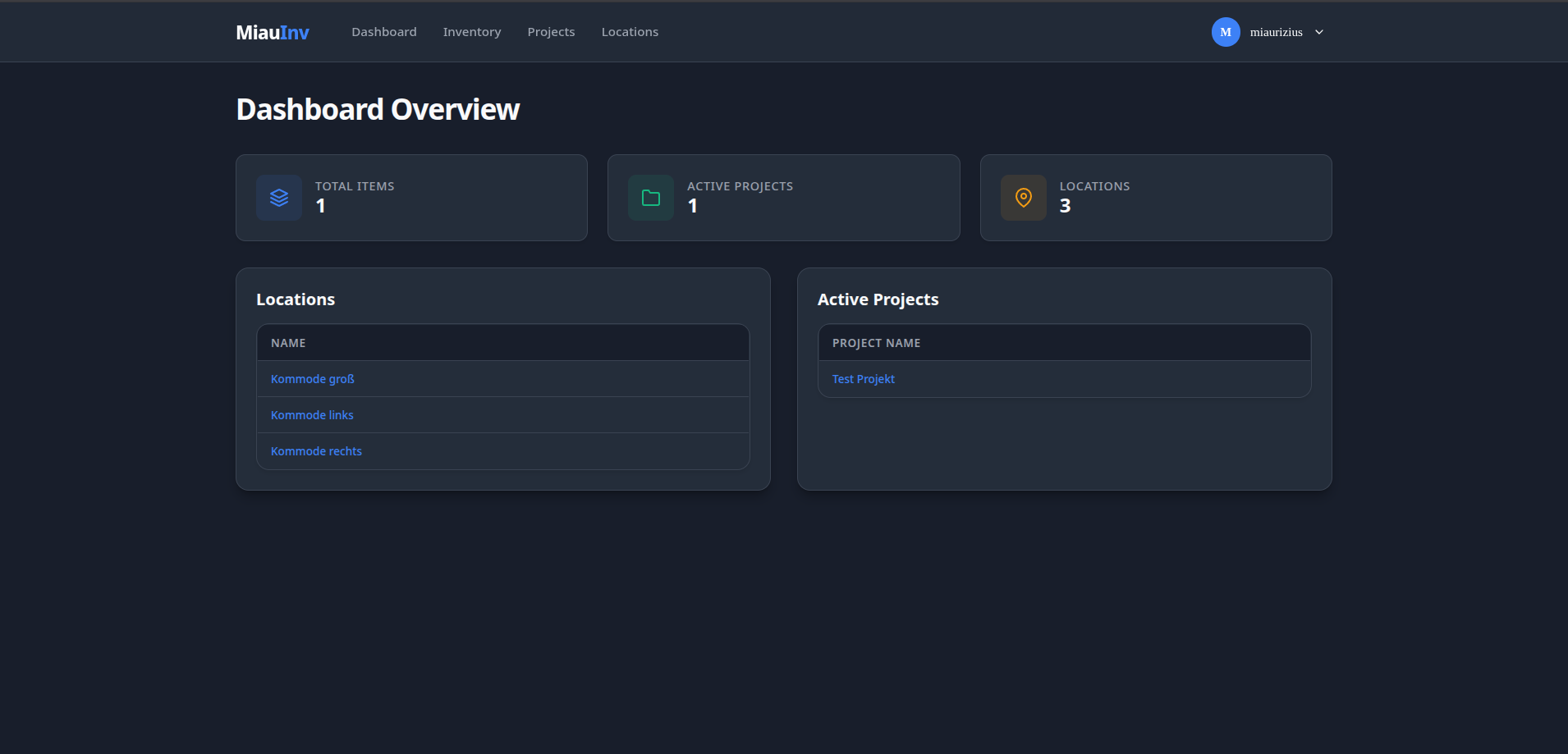
#### Dashboard
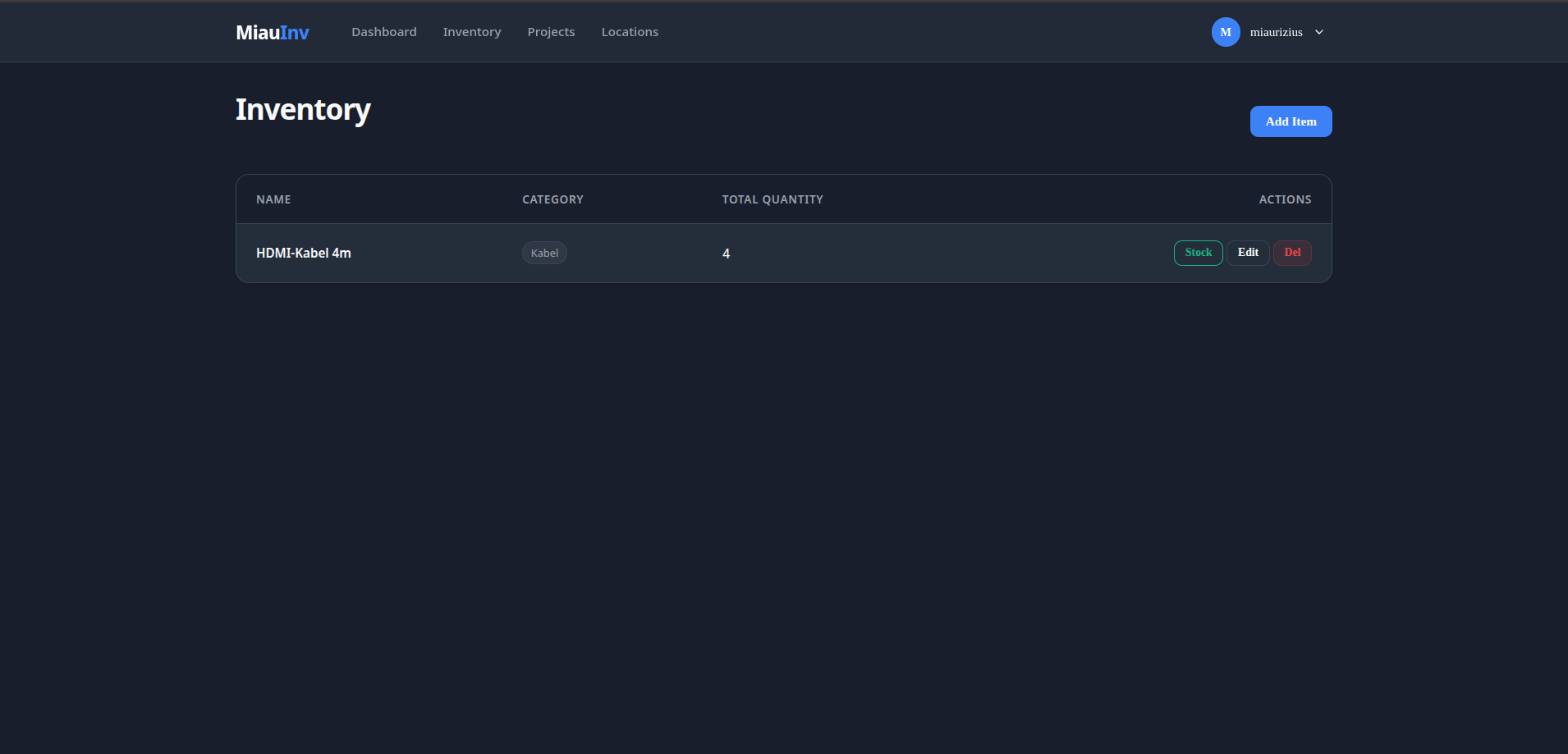
 #### Inventory
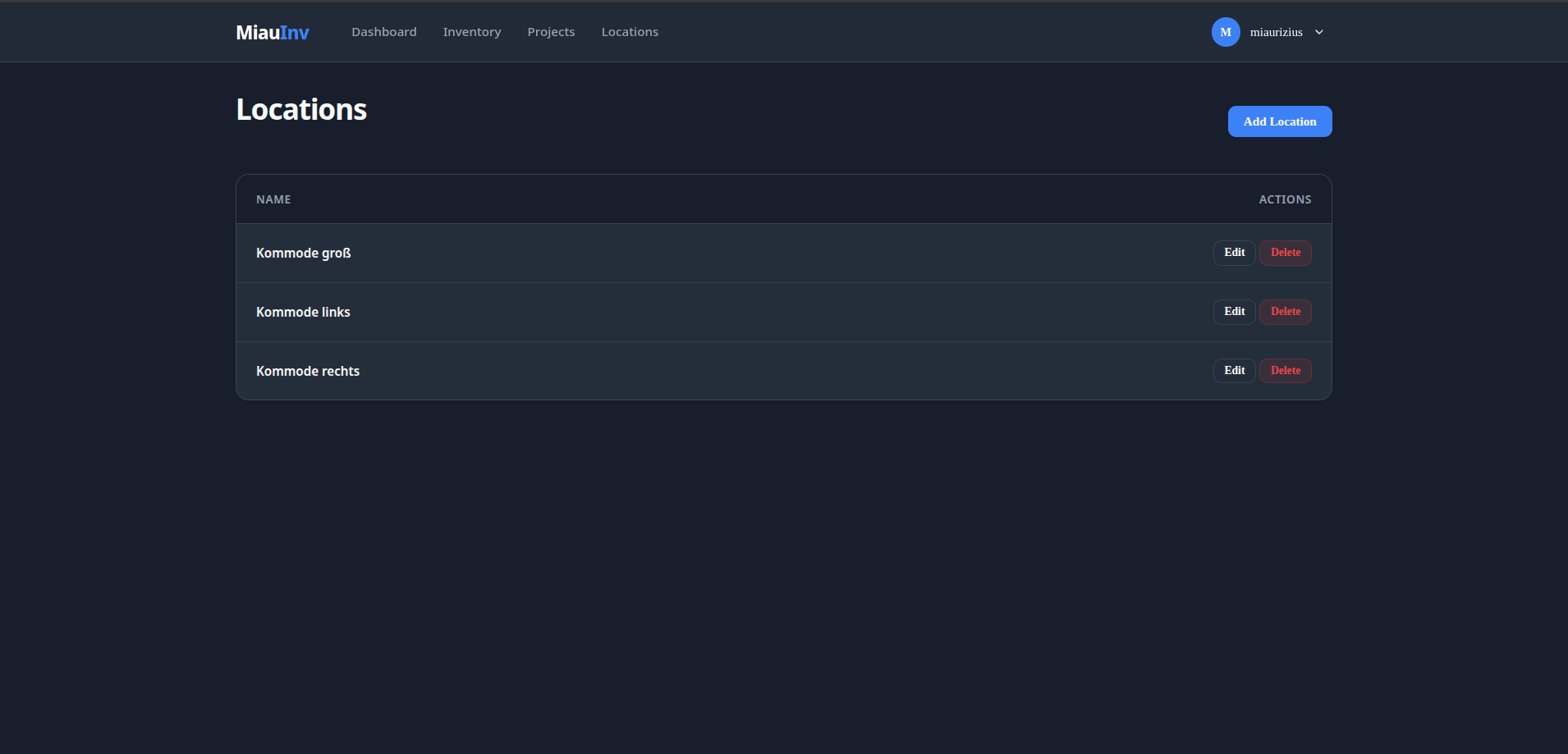
 #### Locations
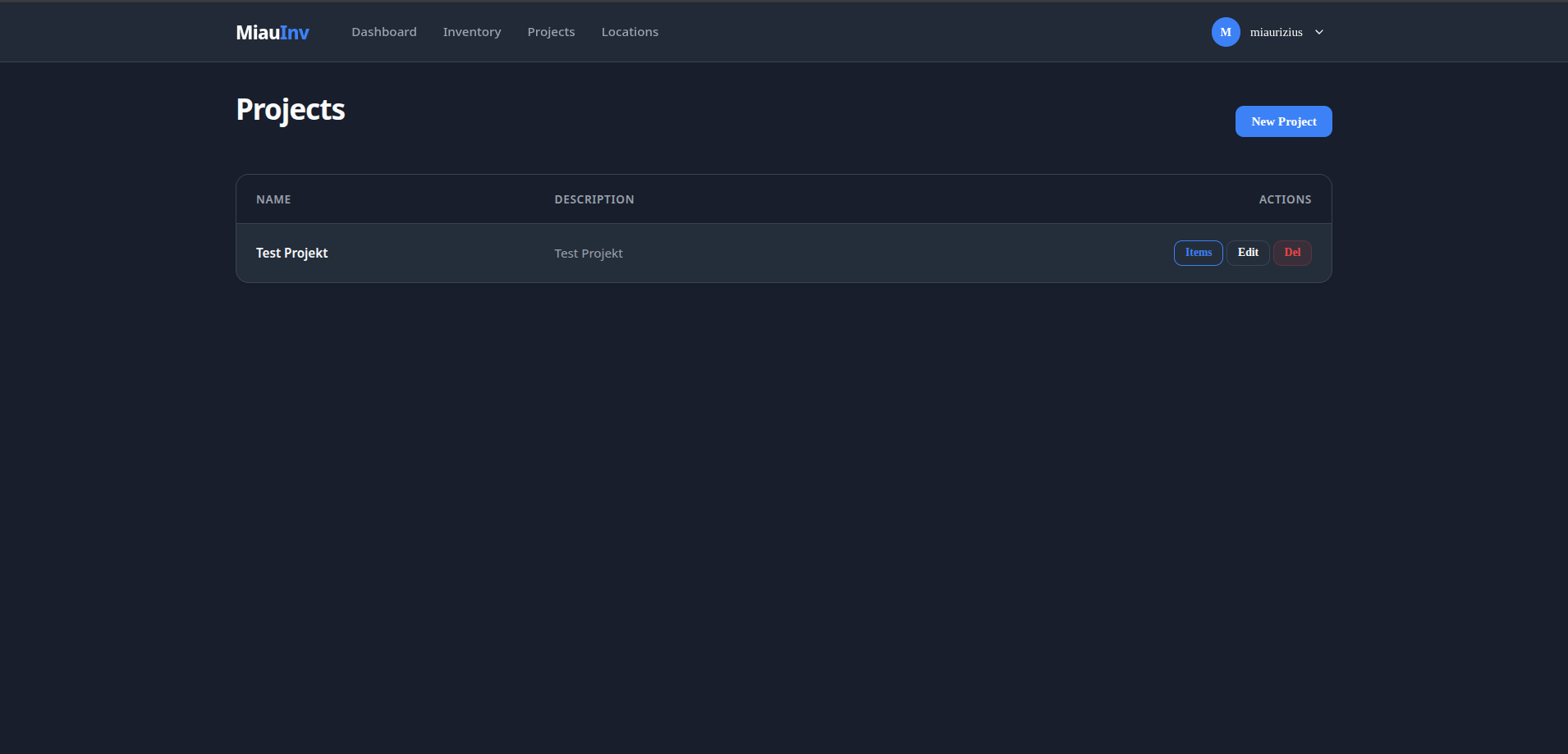
 #### Projects